FixForge › Marine › Marine Electronics › Raymarine Evolution No Rudder Reference
Raymarine Evolution Autopilot: NO RUDDER REFERENCE
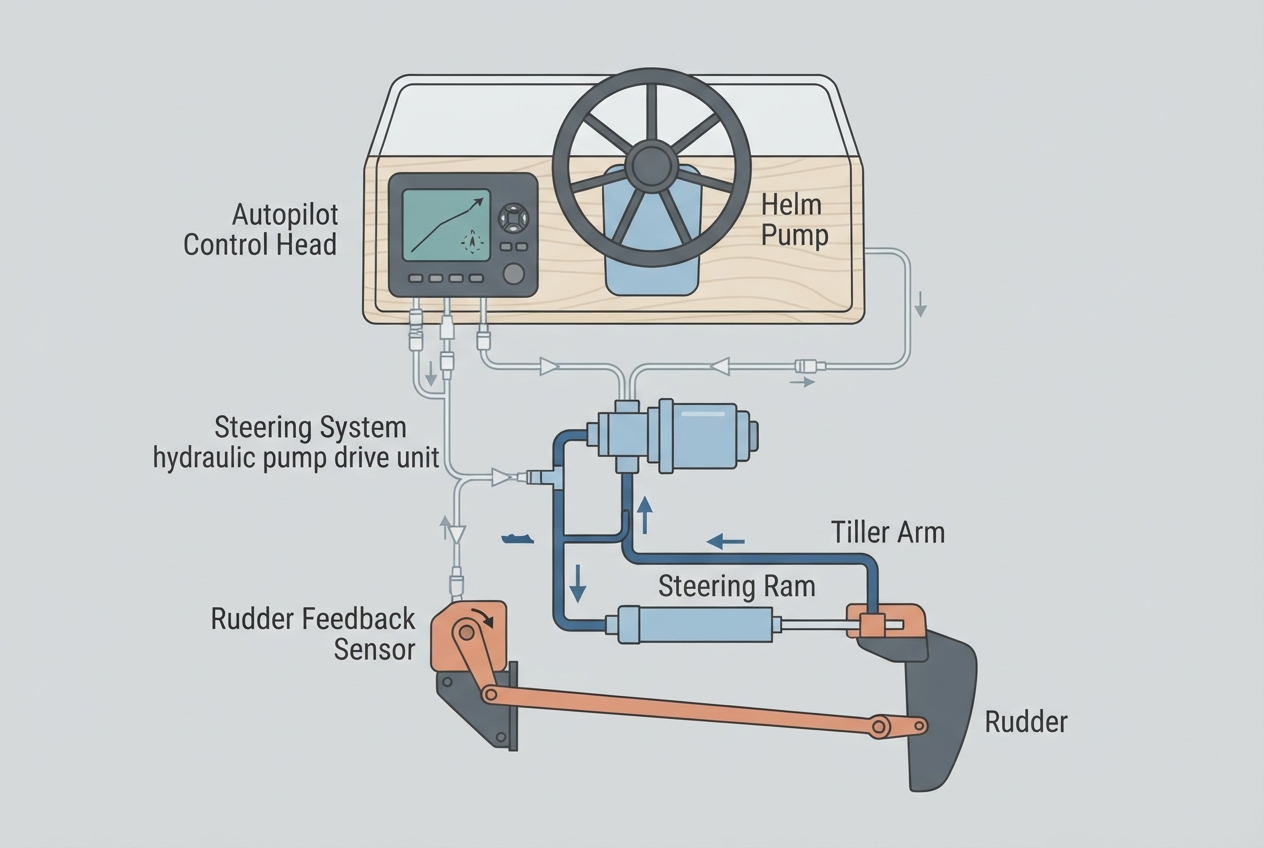
The rudder angle reference sensor tells the Evolution autopilot where the rudder actually is. NO RUDDER REFERENCE means the pilot has lost that information: either it cannot detect the sensor at all, or the sensor has turned further than it is built to measure. Both are usually physical problems at the sensor, its cable or its linkage, and Raymarine's fix list is short.
Last Updated: November 2026
Fast Answer
Raymarine gives two causes: no rudder angle reference sensor is detected, or the sensor has turned outside its operational range of 50 degrees. If a sensor is installed, check its wiring and inspect it for damage, as Raymarine says. Then check that the sensor and its linkage are set up so that full rudder travel keeps it inside its range, because Raymarine also requires the sensor to reflect the limits and end-stops of the rudder system. If your boat has no rudder reference at all, the message points at configuration and ACU software instead.
The ACU cannot see a rudder angle reference sensor. Start with the cable and connector.
The sensor has turned beyond its 50-degree operational range.
Raymarine's second instruction: inspect the unit for possible damage.
ACU v3.12 fixed poor steering on v3.11 systems running without a rudder reference.
What the Error Means
The Evolution troubleshooting table (the entry is listed in both the EV-1 and EV-2 installation instructions) reads: no rudder angle reference sensor is detected, or the rudder angle reference sensor has turned outside its operational range (50 degrees). The possible solution: if a rudder angle reference sensor is installed, check the wiring, and inspect the unit for possible damage.
The same sensor appears in two other Raymarine entries, which is useful if you see more than one message:
- DRIVE STOPPED can be raised when the rudder angle sensor has passed beyond the preset rudder limits or rudder end-stops. Raymarine's first fix for that error is to check the sensor has been installed correctly to reflect the limits and end-stops of the vessel's rudder system.
- NO DATA in Track mode can be raised when the rudder angle sensor is receiving a low-strength signal. Raymarine says that one clears when the signal improves.
Step 1: Is a Sensor Fitted?
Raymarine's wording, “if a rudder angle reference sensor is installed”, reflects that not every Evolution system has one. The ACU software notes refer to Evolution pilot systems operating without a rudder reference transducer installed. Before you go looking for a fault, find out whether your boat has a sensor at the rudder stock or tiller arm, and whether the pilot was commissioned with it.
Step 2: Check the Wiring
Switch the vessel's power supply off first. Raymarine's installation instructions warn not to connect or disconnect equipment with the power switched on.
- Follow the sensor cable from the rudder to the ACU.
- Check the connection at the ACU end for loose, corroded or damaged terminals.
- Check the cable along its run, especially where it passes through bulkheads and near moving steering parts.
Step 3: Inspect the Sensor and Linkage
Raymarine's second instruction is to inspect the unit for possible damage. The sensor sits in the steering compartment, close to moving parts, so look for a cracked housing, a bent or detached arm, or a linkage that has slipped on the rudder stock. A linkage that has moved can leave the sensor reading correctly at the centre but past its range at full lock.
Step 4: Check the 50-Degree Range
With the boat secured and the power off, move the helm slowly from lock to lock and watch the sensor arm. Raymarine's limit is that the sensor must not turn outside its 50-degree operational range, and it must be installed so that it reflects the limits and end-stops of the rudder system. If it is mounted or linked so that it runs out of travel before the rudder reaches its stops, the pilot will report NO RUDDER REFERENCE or DRIVE STOPPED near full rudder.
Step 5: Software and Recommissioning
- ACU 3.12 (April 2020): corrects poor steering performance without a rudder reference transducer. Raymarine says it only affects Evolution systems with the ACU at v3.11 and operating without a rudder reference transducer installed, and does not affect autopilots with one installed, ACUs at v3.04 or lower, the EV-2 drive-by-wire system or the ACU300 system.
- Update order: you must update the EV sensor before updating your ACU.
- After changes: Raymarine says that before using the autopilot it is essential that it is properly commissioned in accordance with the setup instructions in your pilot controller's documentation. Replacing or repositioning the sensor is a reason to run that setup again.
When to Call a Dealer
A damaged sensor needs replacing, and the replacement needs commissioning. If the wiring and sensor look sound and the error persists, have a Raymarine dealer test the sensor and the ACU input.
Parts reference
| Part | Part number / spec | Notes |
|---|---|---|
| Rudder angle reference sensor | Operational range 50 degrees | Must reflect the rudder limits and end-stops. |
| ACU software | 3.12 or later | For ACU v3.11 systems without a rudder reference. |
Sources
Specifications, part numbers and procedures on this page come from the manufacturer documents below. Where a point comes from owner reports instead, the text says so.
- Raymarine Evolution EV-2 Autopilot Installation Instructions, 87181 Rev 5: Error: NO RUDDER REFERENCE (same entry in EV-1 manual 87472)
- Raymarine Evolution EV-1 Autopilot Installation Instructions, 87472 Rev 2: Error: DRIVE STOPPED
- Raymarine EV-2 Installation Instructions, 87181: Error: NO DATA
- Raymarine EV-1 Installation Instructions, 87472: Autopilot system setup
- Raymarine EV-1 Installation Instructions, 87472: Switch off power supply
- Raymarine, Evolution Autopilot ACU Software (software history)
Only if inspection shows the sensor is damaged. Confirm the correct part with a Raymarine dealer, and recommission after fitting.
Check Price on Amazon →As an Amazon Associate, FixForge earns from qualifying purchases.