FixForge › Marine › Marine Electronics › Lowrance Hook Reveal Black Screen
Lowrance Hook Reveal Black Screen: Step-by-Step Fix
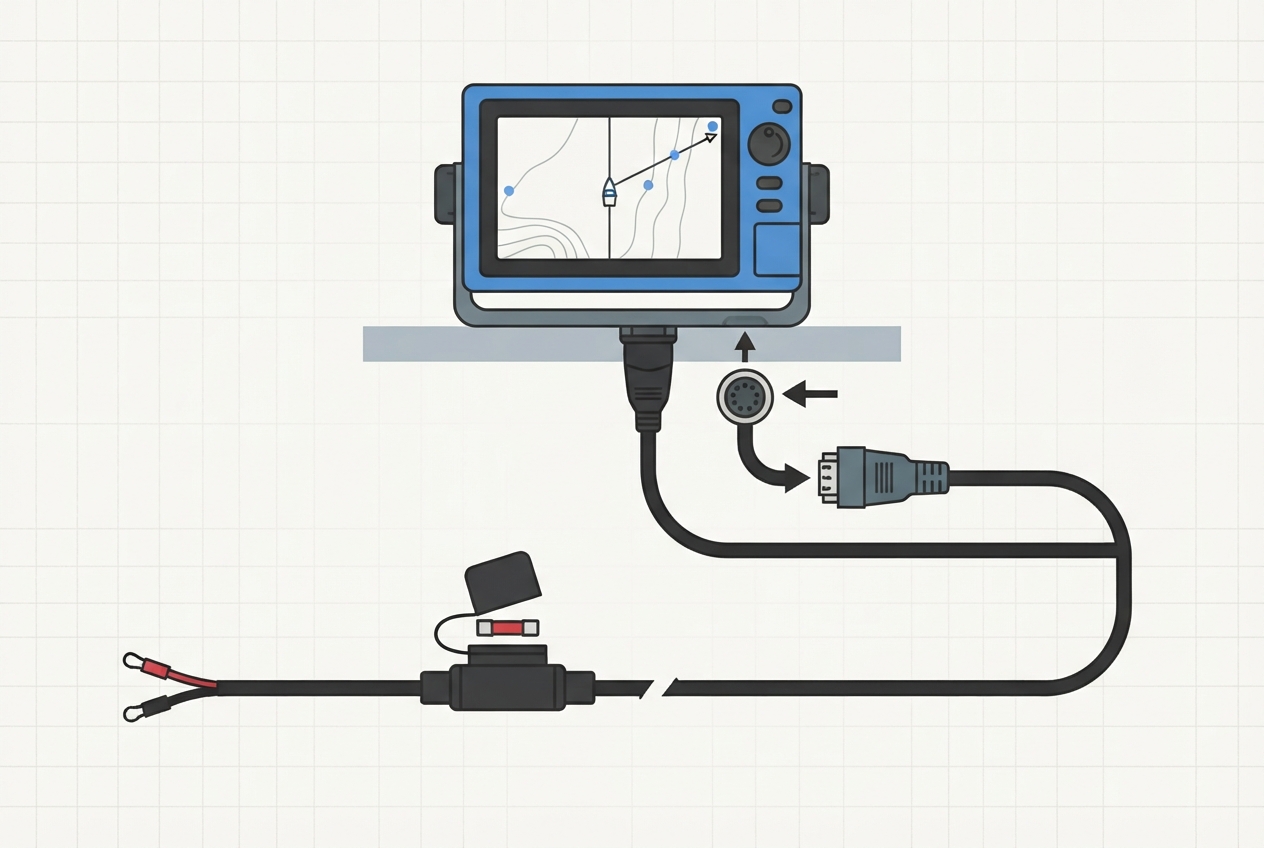
The Hook Reveal black screen at startup almost always traces to one of three causes: corrupted SD chart card preventing boot, insufficient supply voltage, or a firmware hang that requires a force-reset. Work through them in order before assuming unit failure.
Last Updated: June 2026
Fast Answer
Remove both SD cards from the Hook Reveal slots and power cycle. If the unit boots to the software interface without the cards, one card is corrupted — reformat or replace it. If still black: measure voltage at the power connector (needs minimum 10.5V; 12V system should read 12.5–13.5V). If voltage is good and unit still won't respond: hold the power button for 15–20 seconds to force a hard reboot.
Pull both SD/microSD cards before anything else. Corrupted chart card = most common black screen cause.
Needs 10.5V minimum at the connector. Corroded terminals or undersized wire causes voltage drop during boot.
Hold power button 15–20 seconds. Firmware hangs don't respond to short press.
Hook Reveal 5/7: 3A fuse. Hook Reveal 9/12: 5A. Blown fuse = black screen with no sign of life.
Cause 1: Corrupted SD Chart Card
The Lowrance Hook Reveal checks connected SD cards during the boot sequence. A corrupted Navionics or C-MAP card causes the unit to hang before the display initializes — producing a black screen that looks like hardware failure. This is the most common cause and the easiest to rule out.
- Remove all SD cards from both card slots (Hook Reveal has one on the front face, some models have a second on the side or rear).
- Power cycle the unit — full off for 30 seconds, then back on.
- If the unit boots without cards: reinsert cards one at a time to identify the corrupted one.
- If the bad card is identified: reformat it (FAT32) on a PC, then re-download your chart data from the Navionics/C-MAP app to the card.
Cause 2: Insufficient Supply Voltage
The Hook Reveal requires a minimum of 10.5V at the unit's connector to boot reliably. Corroded battery terminals, undersized wire runs, or a failing battery can cause the unit to brown out during boot — the processor starts but the backlight or display driver never gets enough power to initialize, producing a black screen.
- Measure voltage at the unit's power connector with a multimeter, not at the battery. Key-on, before and during boot attempt.
- A fully charged 12V system should read 12.5–13.5V. Below 12.0V indicates a battery issue; below 10.5V and the unit won't boot.
- Check the power wire gauge — a long run with undersized wire creates a voltage drop. Lowrance recommends 14 AWG minimum for runs over 10 feet.
- Inspect the ring terminals and fuse holder for green corrosion. Corroded connections create resistance that drops voltage under load.
Cause 3: Firmware Hang
Firmware hangs can leave the unit in a state where the display never initializes even though the processor is running. A short press of the power button does nothing because the firmware isn't responding to input.
- Hold the power button for 15–20 seconds — this forces a hardware-level power cutoff on all Hook Reveal models.
- Wait 30 seconds, then power on normally.
- If unit boots: update the firmware via the Lowrance Software Update and Network Tool (LSUNT) or via SD card from Lowrance's website.
Nuclear Option: Firmware Reflash via USB
If none of the above work and the unit shows no sign of life despite confirmed good voltage, the firmware can be reflashed using Lowrance's LSUNT software on a Windows PC connected via USB (required — Mac is not supported for this procedure).
- Download Lowrance LSUNT from the Lowrance support site.
- Connect the Hook Reveal to your PC via the unit's USB port (rear of unit, requires a USB-A to micro-USB cable).
- Hold power + Menu simultaneously while connecting power — this puts the unit in update mode.
- LSUNT should detect the unit and allow a full firmware reinstall.
Parts reference
| Part | Typical cost | Notes |
|---|---|---|
| Navionics+ SD chart card | $100–130/yr subscription | Most common chart card for Hook Reveal. Annual subscription model. |
| Lowrance power cable (replacement) | $18–30 | OEM part; also available as aftermarket with integrated fuse holder. |
| Inline fuse holder + 3A fuse | $6–12 | If original fuse holder is corroded, replace rather than just the fuse. |
Annual subscription chart card for Hook Reveal. Compatible with both SD and microSD card slots.
Check Price on Amazon →As an Amazon Associate, FixForge earns from qualifying purchases.
OEM-spec power cable with integrated fuse holder. Correct gauge for Hook Reveal power draw.
Check Price on Amazon →As an Amazon Associate, FixForge earns from qualifying purchases.