FixForge › Marine › Marine Electronics › Lowrance No GPS Fix
Lowrance GPS No Fix: Searching Satellites Won't Resolve
A Lowrance unit stuck on 'Acquiring satellites' or showing no position is usually a cold-start delay, an obstruction issue, or a satellite source configuration problem — not a hardware failure. The Hook Reveal and HDS series have internal GPS antennas that struggle under canvas tops, hardtops, or any metal overhead.
Last Updated: June 2026
Fast Answer
Give the unit 10–15 minutes for a cold start if it hasn't been used in weeks — GPS cold starts require downloading almanac data from satellites and take longer than a warm start. If still no fix after 15 minutes: go to Settings > System > Satellite Status and check signal bar levels. No bars = antenna obstruction or connection issue. Weak bars = marginal signal, try moving to open sky. If bars are present but no fix: reset the GPS module via Settings > System > Reset GPS.
First power-on after weeks of storage: 10–15 min to acquire almanac. Normal warm start: under 2 min.
Settings > System > Satellite Status shows live signal bars. No bars = no signal reaching the antenna.
Hook Reveal and HDS let you select internal vs external GPS. Confirm the correct source is active.
Settings > System > GPS Source — enabling GPS+GLONASS reduces acquisition time in challenging conditions.
Step 1: Cold Start vs Warm Start
GPS receivers maintain an almanac — a database of satellite orbital positions — that lets them quickly lock onto satellites on power-up. If the unit hasn't been used in 4+ weeks, the almanac may have expired and the unit must download a fresh one, which takes 10–15 minutes of unobstructed sky view. This is normal, not a failure. A warm start (unit used recently) should fix in under 90 seconds.
Step 2: Check the Satellite Status Screen
Navigate to Settings > System > Satellite Status (exact path varies slightly by firmware version). This screen shows:
- A sky plot showing satellite positions relative to your location
- Signal strength bars for each visible satellite
- Current fix type (No Fix / 2D / 3D)
If you see zero satellites or zero signal bars: the problem is between the sky and the antenna — either obstruction or antenna failure. If you see bars but still no fix: the signal is marginal; try repositioning or wait longer.
Step 3: Antenna Obstruction
The Hook Reveal's internal GPS antenna is located in the upper portion of the unit housing. Any material between the antenna and open sky reduces signal. Common obstructions:
- Canvas top or T-top canvas: Canvas severely attenuates GPS signals. Mount position matters — a unit mounted at the bow of a center console has clear sky; the same unit at the helm under a T-top canvas has a 30–50% reduction in signal.
- Aluminum hardtop or Bimini frame: Metal overhead completely blocks internal GPS. An external GPS antenna is required for under-hardtop installs.
- Other electronics proximity: VHF radio antennas, radar arrays, and high-power amplifiers nearby can interfere — maintain at least 12 inches separation.
Step 4: Configure GPS Source
The Hook Reveal and HDS units allow selection of the GPS source. If an external GPS antenna or networked device is connected but not selected, the unit may be looking at the wrong source. Navigate to Chart Settings or System Settings and verify the GPS input source. If using an external antenna, ensure it's physically connected to the antenna port on the back of the unit.
Step 5: Reset the GPS Module
A GPS module reset clears the current almanac and forces a fresh acquisition from scratch — useful when the unit appears to have a stale or corrupt almanac. Settings > System > Reset GPS (terminology varies by firmware: may be "Clear GPS Data" or "Restore GPS Defaults"). After reset, allow 10–15 minutes for fresh acquisition.
Step 6: External GPS Antenna
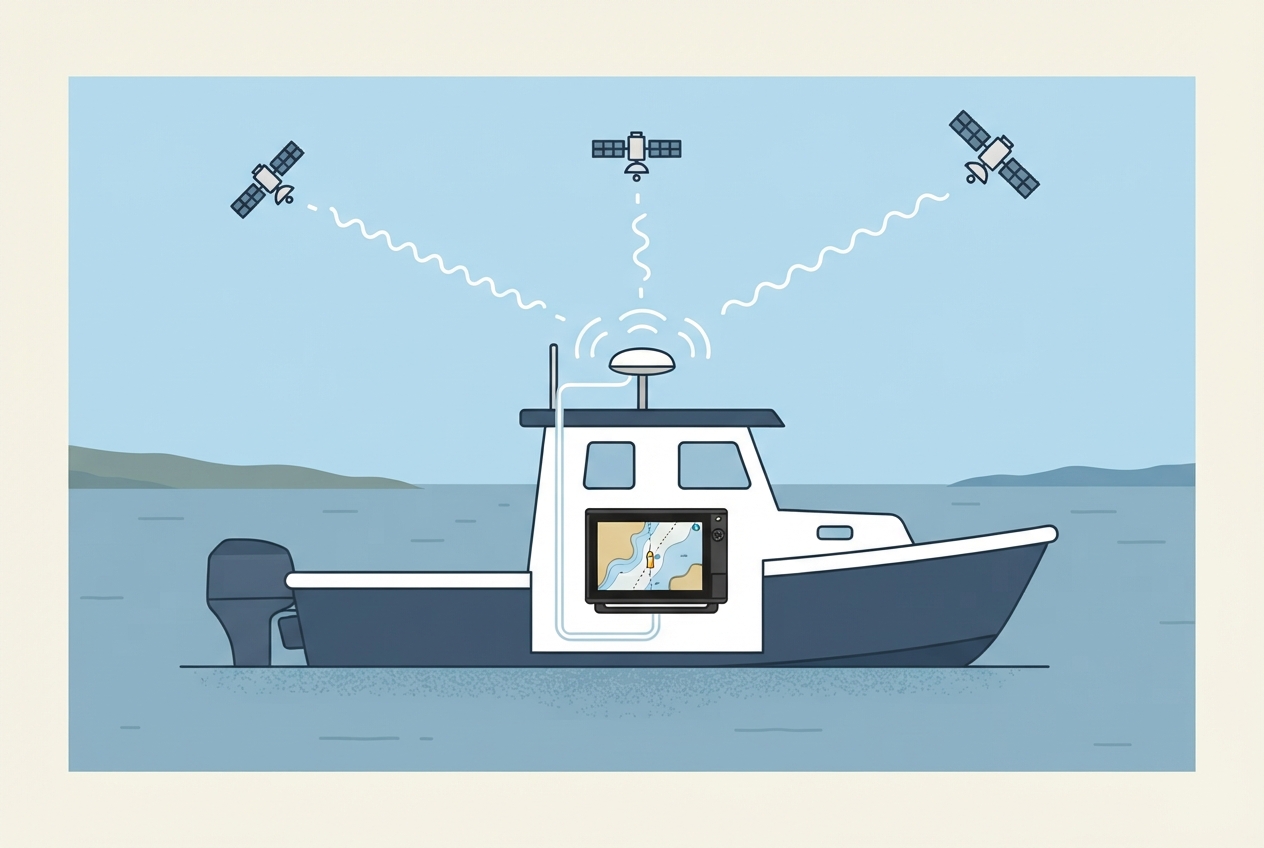
If the unit is permanently mounted under a hardtop or in a location with compromised sky view, an external GPS antenna is the correct long-term solution. The Hook Reveal has an external antenna port (SMA connector, rear of unit). The external antenna mounts on top of the hardtop or on a rail and connects via a coax run to the unit.
Parts reference
| Part | Typical cost | Notes |
|---|---|---|
| External GPS antenna (Lowrance compatible, SMA) | $35–80 | Third-party antennas work fine; match connector type to unit port. |
| SMA coax extension cable | $12–25 | Needed if antenna location is more than the included cable length from unit. |
Mounts on hardtop or rail, provides full-sky view. Required for under-hardtop installs. SMA connector.
Check Price on Amazon →As an Amazon Associate, FixForge earns from qualifying purchases.
For runs between external antenna and unit. Marine-grade UV resistant.
Check Price on Amazon →As an Amazon Associate, FixForge earns from qualifying purchases.