FixForge › Marine › Marine Electronics › Raymarine Evolution CU Disconnected
Raymarine Evolution Autopilot: CU DISCONNECTED
CU DISCONNECTED is an Evolution autopilot alarm that means the pilot controller, the control head you steer with (a p70-series head, for example), has dropped off the network the autopilot uses. On most boats that network is SeaTalk NG, and the same backbone carries power to the controller. So this is a network and power check, in that order.
Last Updated: November 2026
Fast Answer
Raymarine's cause is that the autopilot Control Unit (CU), the control head, has been disconnected. Its fix is to check the physical cables and connections between the control head and the SeaTalk NG (or DeviceNet) system, and between the EV-Series components and that system. Start with backbone power: the backbone must have exactly one 12 V supply connection, and if your ACU provides it, the ACU's SeaTalk NG power switch must be ON. If the control head is an older SeaTalk 1 unit on a converter, update the converter's software.
One 12 V dc supply connection to the SeaTalk NG backbone, no more and no fewer.
ON if the ACU powers the backbone. OFF if a battery or panel does.
Check the spur cable and connectors from the controller to the backbone.
A SeaTalk 1 head on a converter needs the converter on its latest software.
What the Alarm Means
Raymarine's alarm table (listed in both the EV-1 and EV-2 installation instructions) gives the cause as: the autopilot Control Unit (CU) / control head has been disconnected. The solutions:
- Check the physical cables and connections between the autopilot control head and the SeaTalk NG / DeviceNet system (as applicable). Also between the EV-Series component(s) and the SeaTalk NG / DeviceNet system (as applicable).
- If the autopilot control head is connected via a SeaTalk 1 to SeaTalk NG converter, check the converter is using the latest software version.
Evolution alarms are sent over SeaTalk NG to controllers and MFDs with an audible alert, and stop when the condition ceases or the alarm is acknowledged. A controller that keeps dropping off will keep bringing the alarm back.
How the Controller Is Connected
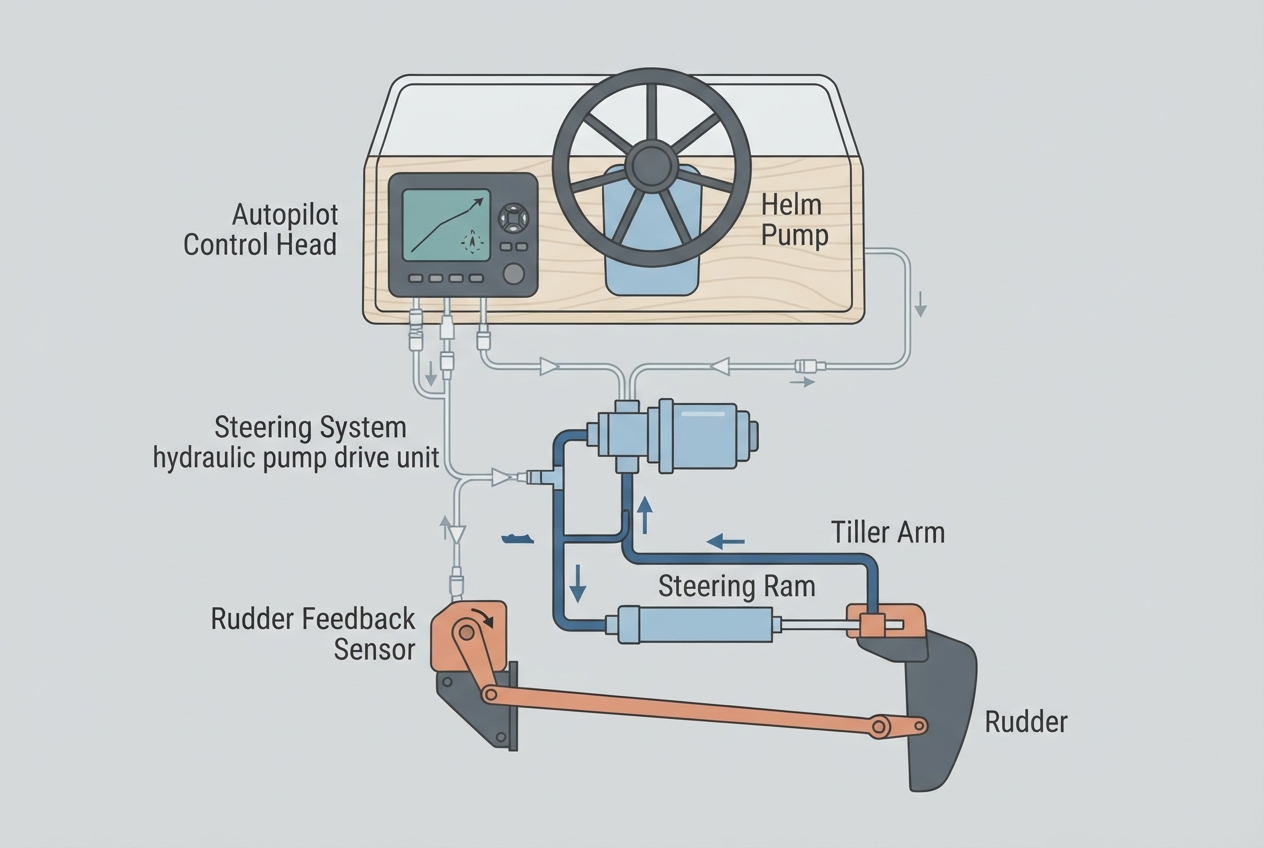
Raymarine's SeaTalk NG pilot controller diagram shows the controller connected directly into the same SeaTalk NG backbone as the Evolution autopilot, through a SeaTalk NG spur cable, and powered from the backbone. The backbone has a 12 V dc power supply connection, joined through SeaTalk NG 5-way blocks. A SeaTalk NG MFD on the same backbone needs its own separate power supply. That means a backbone with no power takes the control head down with it.
Step 1: Is the Backbone Powered?
Raymarine's rule: the SeaTalk NG backbone must have a single power supply connection. It can come from a battery or distribution panel, or from a compatible ACU.
- If the backbone is powered from a battery or panel, check that supply, its fuse and its switch.
- If the backbone is powered from the ACU, the ACU's SeaTalk NG power switch must be in the ON position, and its fuse for the SeaTalk NG supply must be intact. The connection uses the ACU-to-SeaTalk NG spur cable, part number R12112.
- If the backbone is powered from a battery or panel, the ACU's switch must be OFF.
- Note that the ACU-100, ACU-150 and SPX-5 cannot supply power to the backbone, so on those systems power must come from elsewhere.
- Raymarine's warning for the EV unit: it must only be connected to a 12 V dc power source.
The EV unit's LED is a quick check of the backbone: red with no SeaTalk NG connection means ensure the network is powered and the cables and connections are secure and free from damage.
Step 2: The Control Head Cable
Switch the vessel's power supply off before unplugging anything; Raymarine warns not to connect or disconnect equipment with the power on.
- Follow the spur cable from the back of the control head to its 5-way block or T-piece on the backbone.
- Check both connectors are fully seated, and look for corrosion or damaged pins.
- Check the cable where it passes behind the helm panel for pinching or chafing.
Step 3: The EV Components
Raymarine's second check is the cabling between the EV-Series components and the network. Check the EV unit's spur and the ACU's connection the same way.
Step 4: SeaTalk 1 Control Heads and Software
- SeaTalk 1 head on a converter: check the SeaTalk 1 to SeaTalk NG converter has the latest software, as Raymarine instructs.
- Mercury gateway on the bus: ACU software v1.13 corrected a SeaTalk NG communications issue with a Mercury Gateway on the same bus that could make the pilot report Drive Stopped or No Pilot.
- Update order: Raymarine warns you must update the EV sensor before updating your ACU.
When to Contact Raymarine
If the backbone is powered, every connector is good and a known-good spur cable does not keep the controller connected, contact Raymarine technical support or a dealer to test the control head.
Parts reference
| Part | Part number / spec | Notes |
|---|---|---|
| SeaTalk NG backbone power | 12 V dc, single connection | From a battery/panel or a compatible ACU, not both. |
| ACU to SeaTalk NG spur cable | R12112 | ACU-100, ACU-150 and SPX-5 cannot power the backbone. |
| SeaTalk NG 5-way block | Shown in Raymarine's controller diagram | Joins the controller spur to the backbone. |
Sources
Specifications, part numbers and procedures on this page come from the manufacturer documents below. Where a point comes from owner reports instead, the text says so.
- Raymarine Evolution EV-2 Autopilot Installation Instructions, 87181 Rev 5: Alarm: CU DISCONNECTED (same entry in EV-1 manual 87472)
- Raymarine EV-2 Installation Instructions, 87181: Alarms
- Raymarine Evolution EV-1 Autopilot Installation Instructions, 87472 Rev 2: SeaTalk NG pilot controller connection
- Raymarine EV-1 Installation Instructions, 87472: Power connection via Autopilot Control Unit (ACU-Series)
- Raymarine EV-1 Installation Instructions, 87472: 12 Volt dc only
- Raymarine EV-1 Installation Instructions, 87472: LED indications
- Raymarine EV-1 Installation Instructions, 87472: Switch off power supply
- Raymarine, Evolution Autopilot ACU Software (software history)
The block that joins the pilot controller's spur cable to the backbone in Raymarine's diagram. Replace only if its connectors are damaged.
Check Price on Amazon →As an Amazon Associate, FixForge earns from qualifying purchases.