FixForge › Marine › Marine Electronics › Garmin ECHOMAP Keeps Shutting Off
Garmin ECHOMAP Keeps Shutting Off or Restarting
An ECHOMAP that turns itself off, restarts under way, or dies the moment the outboard cranks is almost always losing supply voltage. Garmin's owner's manuals say so directly: devices erratically turning off or not turning on could indicate an issue with the power supplied to the device. Garmin's power FAQ gives the test sequence.
Last Updated: November 2026
Fast Answer
On ECHOMAP Plus 7x/9x, UHD 7x/9x, UHD2 7x/9x, Ultra and Ultra 2, the power port is on the mount: reseat the chartplotter until the mount clicks. Check the fuse in the red wire. Then measure DC voltage at the power cable's sockets: Garmin's preferred figure is 12.5 V or higher, and its manuals say that below 12 Vdc the device will not turn on. If it only dies at engine start, the unit is on a cranking battery that sags. Test it on a separate fully charged 12 V battery.
On powered-mount models the mount should click when the chartplotter is inserted.
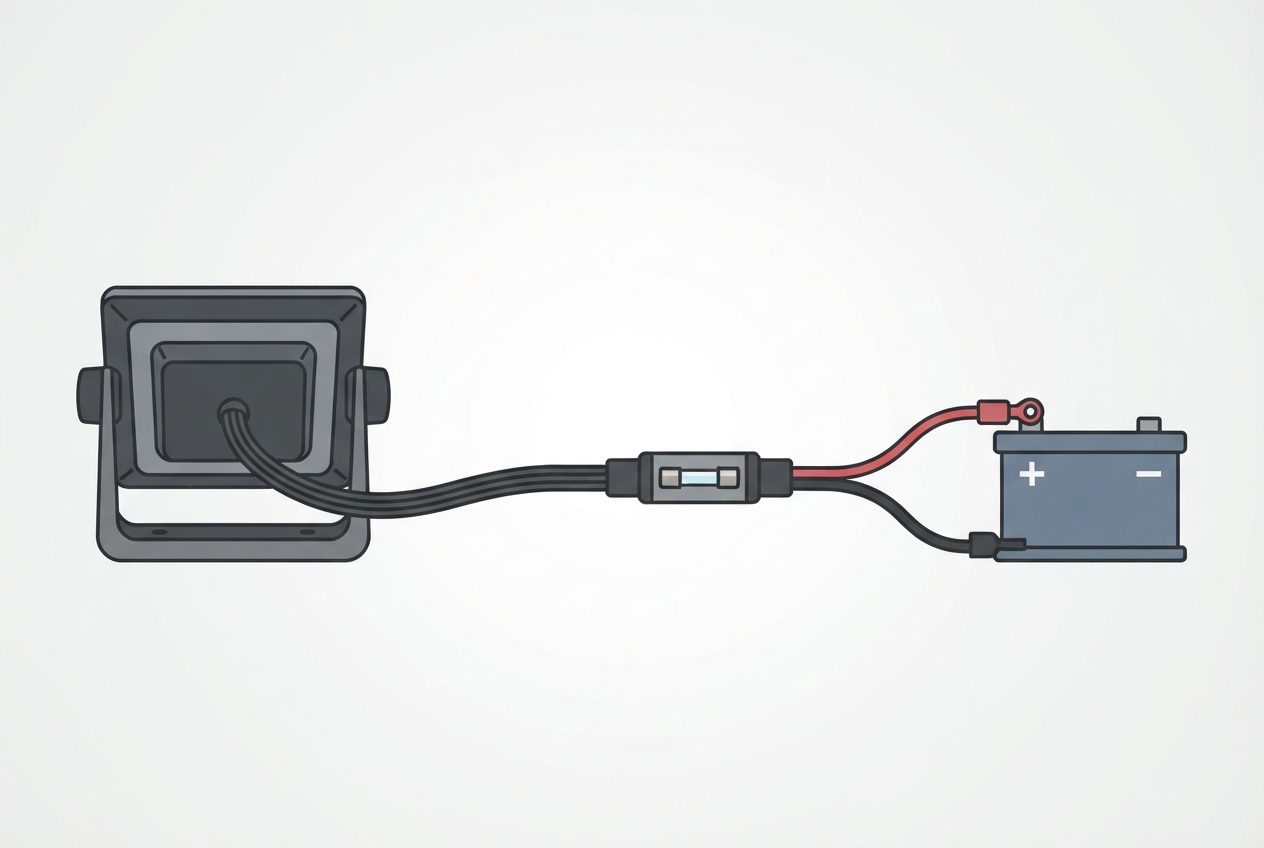
It sits in a holder in the red wire. A good fuse reads 0 ohm on a multimeter.
Garmin's preferred voltage is 12.5 V or higher. A test light does not prove adequate voltage.
Connect the power cable directly to a fully charged 12 V battery. If it runs, the fault is in the panel, breaker or switch.
Why It Dies When the Engine Cranks
Garmin's power FAQ covers this case by name. It says there may be insufficient voltage if the device is connected to a cranking battery and loses power when the engine starts or speed increases. A starter motor pulls battery voltage down for a moment, and anything sharing that battery sees the dip.
The fix is in the supply, not the chartplotter. Confirm the battery is healthy, then confirm the wiring is not adding its own voltage drop on top.
Step 1: The Powered Mount
On ECHOMAP Plus 7x and 9x, UHD 7x and 9x, UHD2 7x and 9x, Ultra and Ultra 2, the power cable plugs into the mount and the chartplotter picks power up through contacts when it is docked. Garmin's first check is that the chartplotter is fully seated: the mount should click when the chartplotter is inserted. A unit that rocks in its cradle at speed can break contact and restart.
Also check that the power cable's locking collar is tightened. Garmin sells replacement collars.
Step 2: Fuse
The owner's manual puts the fuse in a holder that is part of the red wire of the power cable. Test it with a multimeter: if the fuse is good, the meter reads 0 ohm. Ratings by model:
- ECHOMAP Plus, UHD and UHD2 (6, 7 and 9 inch): 3 A fast-acting.
- ECHOMAP Ultra and Ultra 2: 8 A fast-acting.
On an ECHOMAP UHD the housing opens and the fuse twists and pulls out. Fit the same rating.
Step 3: Battery and Voltage
- Charge the battery fully, let it rest 12 hours off the charger, and test it with the engine off. Garmin's ideal figure is 12.5 V or higher.
- Unplug the power cable from the device or mount and measure DC voltage at the cable's female power and ground sockets. The manual states that if the voltage is less than 12 Vdc, the device will not turn on.
- On powered-mount models, measure at the front of the mount as well as at the cable. Garmin notes that the Ultra and Ultra 2 have the positive and negative pins flipped relative to its mount pinout diagram.
- Do not rely on a test light. Garmin's FAQ says it is not an indicator of the proper amount of voltage.
All ECHOMAP models in these lines are specified for 9 to 18 Vdc input. That is the range the unit tolerates, not the voltage Garmin wants to see during troubleshooting.
Step 4: Voltage Drop and Corrosion
- Put the meter on the wire ends at the power source and note the reading, then reconnect the cable to the device and read again. If the voltage drops, Garmin says to connect the device to a different power source.
- Temporarily connect the power cable directly to a fully charged 12-volt battery. If the unit now behaves, check the fuse panel, breaker or switch it normally runs through.
- Inspect the contacts. Light corrosion can be cleaned with a brush and dielectric grease. Extensive corrosion on the cable connector means replace the cable; on the power port, Garmin says the device or powered mount must be replaced.
If you have extended the power cable, check the gauge. The ECHOMAP UHD instructions require 18 AWG (0.82 mm2) or larger. The Ultra 2 instructions specify 16 AWG up to 3 m (10 ft) and 14 AWG up to 6.1 m (20 ft), with 6 m as the maximum extension.
Screen Goes Dark After the Logo
One look-alike fault is not a shutdown. If the Garmin logo shows and then the screen goes dark, Garmin's FAQ says to press the power button rapidly a few times to reset the backlight settings.
Also note the Auto Power Up setting on ECHOMAP UHD (Settings, System, Auto Power Up). If the unit is turned off with the power key and power is cycled within two minutes, you may need to press the power key to restart it.
When to Contact Garmin
The manual's line is: if the device is receiving enough power but does not turn on, contact Garmin product support. The FAQ adds that if voltage stays steady on a different power source and the fault remains, contact Product Support. A forced software update is a further step, but Garmin says it should only be done once adequate power to the device is confirmed.
Parts reference
| Part | Part number / spec | Notes |
|---|---|---|
| Power cable: ECHOMAP Plus 7x/9x, UHD 7x/9x, UHD2 | Garmin 010-12445-00 | Replace if the connector is heavily corroded. |
| Power cable: ECHOMAP Plus 4x/6x, UHD 6x | Garmin 010-12199-04 | Fuse: 3 A fast-acting. |
| Power cable: ECHOMAP Ultra, Ultra 2 | Garmin 010-12938-00 | Fuse: 8 A. |
| Fuse | 3 A fast-acting (Plus, UHD, UHD2); 8 A (Ultra, Ultra 2) | Never fit a higher rating. |
Sources
Specifications, part numbers and procedures on this page come from the manufacturer documents below. Where a point comes from owner reports instead, the text says so.
The replacement power cable Garmin lists for ECHOMAP Plus 7x/9x, UHD 7x/9x and UHD2. Check your model against the table above first.
Check Price on Amazon →As an Amazon Associate, FixForge earns from qualifying purchases.