FixForge › Marine › Marine Electronics › Raymarine Ray63 No GPS Position
Raymarine Ray63 (and Ray53 / Ray73): No GPS Position
When a Raymarine Ray53, Ray63 or Ray73 has no position it keeps reminding you: a beep, a flashing GNSS icon and a Manual GPS source missing or No position data message. Most of the causes are settings in the GPS set-up menu, and the rest are the antenna and where the radio is mounted.
Last Updated: November 2026
Fast Answer
Open Menu > Set-up > GPS set-up. Make sure Integrated GPS is On, and that GPS antenna is set to internal or external to match what you actually have. If you use an external GA150 antenna, check its connector is fully inserted with the locking collar tight. If the radio sits below decks, Raymarine says performance may be less effective and an external antenna mounted above decks may be needed. Then check the Network output setting and the cables. Raymarine also says to make sure the radio has the latest software before troubleshooting GNSS problems.
Menu > Set-up > GPS set-up > Integrated GPS switches the internal receiver On and Off.
Same menu: switches between internal and external antenna. It must match your setup.
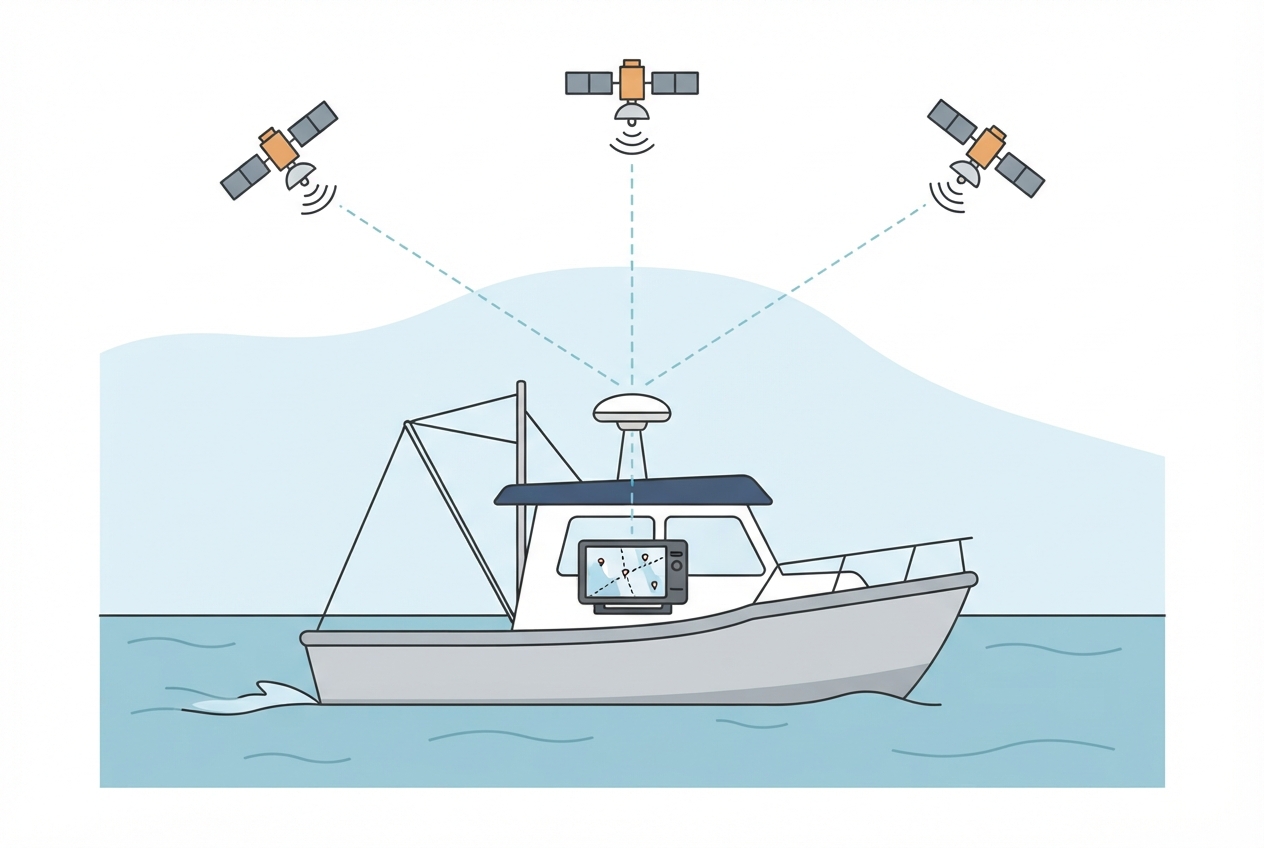
Above decks with a clear view of the sky is optimal. Below decks may need an external antenna.
Connectors fully inserted and locked; no damage or corrosion.
What the Warning Means
Raymarine's operation instructions describe the behaviour exactly:
- If the manual GPS source is missing, no position data is available, or position data becomes unavailable, then after 10 minutes an audible warning sounds, the GNSS icon flashes and the Manual GPS source missing / No position data message is displayed.
- Once you acknowledge it, the GNSS icon keeps flashing. The warning repeats every 4 hours while position data is still unavailable, has not been entered manually, or was entered manually more than 23.5 hours ago.
- If you entered a position manually, the display alternates between that position and time and the Manual Position message. If the manual position has not been updated in the last 4 hours, the icon flashes and the warning sounds, every 4 hours until it is updated or real position data returns.
- With no position data, or no manual update for 23.5 hours, the position changes to 9s and the time to 8s.
So a screen full of 9s is not a fault in itself: it is the radio telling you it has had no usable position for almost a day.
Step 1: Software First
Raymarine's GNSS troubleshooting opens with this: before troubleshooting GNSS problems, ensure your product has the latest software, by checking the Software Updates page on the Raymarine website.
Step 2: Is the Internal Receiver On?
From Menu > Set-up > GPS set-up, select Integrated GPS. Raymarine says this switches the radio's internal GNSS receiver On and Off. Raymarine lists “GNSS (GPS) switched off” and “Internal receiver is switched off” as causes for both No Fix and No position data.
Step 3: Internal or External Antenna?
The radio's built-in receiver has an internal antenna, and you can use an external antenna instead for improved performance. Raymarine says you must specify which one you are using: in Menu > Set-up > GPS set-up, select GPS antenna to switch between the internal and external option. If the radio is set to external with no antenna connected, or to internal while it sits below decks, it may not get a fix.
Step 4: The External Antenna Connection
Raymarine's connection steps for an external GA150 antenna:
- Remove the dust cap from the external antenna connector on the radio. With the connector the right way round, fully insert the radio's external antenna connector into the GA150's connector.
- Tighten the antenna connector's locking collar by rotating the GA150's connector clockwise until tight.
- Push the protective boot into position over both connectors.
- Secure the boot with a cable tie on each end.
Raymarine's general cable checks apply too: connectors fully inserted and locked in position, and cables and connectors free from damage or corrosion, replaced if necessary.
Step 5: Where the Radio or Antenna Is
- Above decks (open air) mounting gives optimal performance, for equipment with the right waterproof rating.
- Below decks (an enclosed space) performance may be less effective, and may need an external antenna or receiver mounted above decks.
- Construction: heavy structure such as a structural bulkhead, or the interior of a larger vessel, can reduce the signal, and steel, aluminium or carbon surfaces can affect performance. Raymarine advises professional help before placing internal-antenna equipment below decks or on those materials.
- Conditions: calm, clear conditions typically give a more accurate fix; extreme northerly or southerly latitudes may give a weaker signal. Raymarine's advice for this case is to check periodically to see if a fix is obtained in better conditions or another location.
Antennas should have a clear, unobstructed view of the sky, and not be close to structural bulkheads or other electrical equipment or cables that may cause interference.
Step 6: Network Output
For the No position data / Manual GPS source missing case, Raymarine also lists wrong Network output selected: make sure the correct network type and speed is selected in Menu > Set-up > Network output.
Parts reference
| Part | Part number / spec | Notes |
|---|---|---|
| External GNSS antenna | GA150 | Locking collar clockwise until tight; boot secured with cable ties. |
| External GNSS receiver | RS150 (named by Raymarine) | For products without an internal receiver. |
| Warning timing | 10 minutes, then every 4 hours | 9s and 8s after 23.5 hours with no position. |
Sources
Specifications, part numbers and procedures on this page come from the manufacturer documents below. Where a point comes from owner reports instead, the text says so.
- Raymarine Ray53 / Ray63 / Ray73 Installation and Operation Instructions, 81381: GNSS (GPS) troubleshooting
- Raymarine 81381: Manual GPS source missing or no position data
- Raymarine 81381: Enabling and disabling the internal GNSS (GPS)
- Raymarine 81381: Switching between internal and external antenna
- Raymarine 81381: GNSS (GPS) antenna connection
- Raymarine 81381: GNSS (GPS) location requirements
Raymarine's option for radios mounted below decks. Set GPS antenna to external after fitting.
Check Price on Amazon →As an Amazon Associate, FixForge earns from qualifying purchases.